Classifying Fashion-MNIST
Now it's your turn to build and train a neural network. You'll be using the Fashion-MNIST dataset, a drop-in replacement for the MNIST dataset. MNIST is actually quite trivial with neural networks where you can easily achieve better than 97% accuracy. Fashion-MNIST is a set of 28x28 greyscale images of clothes. It's more complex than MNIST, so it's a better representation of the actual performance of your network, and a better representation of datasets you'll use in the real world.
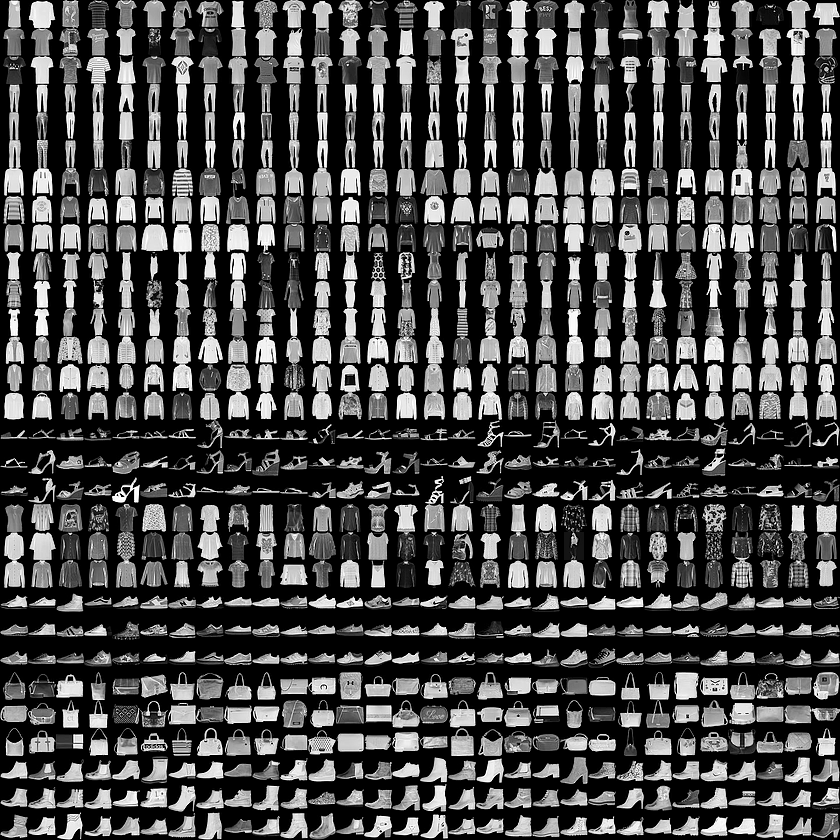
In this notebook, you'll build your own neural network. For the most part, you could just copy and paste the code from Part 3, but you wouldn't be learning. It's important for you to write the code yourself and get it to work. Feel free to consult the previous notebooks though as you work through this.
First off, let's load the dataset through torchvision.
import torch  # Import PyTorch library
from torchvision import datasets, transforms  # Import datasets and image transforms
import helper  # Import helper visualization functions

# Define a transform to normalize the data
transform = transforms.Compose([transforms.ToTensor(),  # Define transform: convert to tensor
                                transforms.Normalize((0.5,), (0.5,))])
# Download and load the training data
trainset = datasets.FashionMNIST('~/.pytorch/F_MNIST_data/', download=True, train=True, transform=transform)  # Download/load Fashion-MNIST training data
trainloader = torch.utils.data.DataLoader(trainset, batch_size=64, shuffle=True)  # Create training data loader

# Download and load the test data
testset = datasets.FashionMNIST('~/.pytorch/F_MNIST_data/', download=True, train=False, transform=transform)  # Download/load Fashion-MNIST test data
testloader = torch.utils.data.DataLoader(testset, batch_size=64, shuffle=True)  # Create test data loader
Here we can see one of the images.
image, label = next(iter(trainloader))  # Get one batch of images and labels
helper.imshow(image[0,:]);
Building the network
Here you should define your network. As with MNIST, each image is 28x28 which is a total of 784 pixels, and there are 10 classes. You should include at least one hidden layer. We suggest you use ReLU activations for the layers and to return the logits or log-softmax from the forward pass. It's up to you how many layers you add and the size of those layers.
from torch import nn, optim
import torch.nn.functional as F  # Import functional API (F.relu, etc.)
class Classifier(nn.Module):  # Define neural network class
    def __init__(self):  # Initialize network layers
        super().__init__()  # Initialize parent class
        self.fc1 = nn.Linear(784, 256)  # First fully connected layer
        self.fc2 = nn.Linear(256, 128)  # Second fully connected layer
        self.fc3 = nn.Linear(128, 64)  # Third fully connected layer
        self.fc4 = nn.Linear(64, 10)  # Output layer

    def forward(self, x):
        # make sure input tensor is flattened
        x = x.view(x.shape[0], -1)  # Flatten: (batch, 1, 28, 28) -> (batch, 784)

        x = F.relu(self.fc1(x))  # FC1 -> ReLU activation
        x = F.relu(self.fc2(x))  # FC2 -> ReLU activation
        x = F.relu(self.fc3(x))  # FC3 -> ReLU activation
        x = F.log_softmax(self.fc4(x), dim=1)  # FC4 -> LogSoftmax output

        return x  # Return output tensor
Train the network
Now you should create your network and train it. First you'll want to define the criterion ( something like nn.CrossEntropyLoss) and the optimizer (typically optim.SGD or optim.Adam).
Then write the training code. Remember the training pass is a fairly straightforward process:
- Make a forward pass through the network to get the logits
- Use the logits to calculate the loss
- Perform a backward pass through the network with
loss.backward()to calculate the gradients - Take a step with the optimizer to update the weights
By adjusting the hyperparameters (hidden units, learning rate, etc), you should be able to get the training loss below 0.4.
# TODO: Create the network, define the criterion and optimizer
model =
criterion =
optimizer =
epochs = 5  # Number of training epochs

for e in range(epochs):
    running_loss = 0  # Initialize loss accumulator
    for images, labels in trainloader:  # Loop through training batches
        log_ps = model(images)
        loss = criterion(log_ps, labels)  # Calculate loss

        optimizer.zero_grad()  # Clear previous gradients
        loss.backward()  # Backpropagate gradients
        optimizer.step()  # Update model weights

        running_loss += loss.item()
    else:  # After epoch completes
        print(f"Training loss: {running_loss/len(trainloader)}")  # Print average loss
%matplotlib inline  # Enable inline plotting in notebook
%config InlineBackend.figure_format = 'retina'

import helper  # Import helper visualization functions

# Test out your network!

dataiter = iter(testloader)
images, labels = next(dataiter)  # Get one batch of images and labels
img = images[0]
# Convert 2D image to 1D vector
img = img.resize_(1, 784)

# TODO: Calculate the class probabilities (softmax) for img
ps =

# Plot the image and probabilities
helper.view_classify(img.resize_(1, 28, 28), ps, version='Fashion')  # Display classification result